Why Create a Subdomain on GoDaddy Managed WordPress Hosting?
Subdomains like blog.yoursite.com or shop.yoursite.com organize content, test features, or run landing pages. On Managed WordPress:
- Pros — Easy DNS via GoDaddy, no cPanel needed.
- Limitations — Subdomains typically forward/redirect to primary site (no separate WP installs). Multisite not supported.
- Use Cases — Redirects for sections, external tools (e.g., Shopify on shop subdomain), or staging.
GoDaddy prioritizes single-site performance—perfect for most, but upgrade to Deluxe/cPanel for full subdomains with separate installs.
Step 1: Access Your GoDaddy Dashboard & Managed WordPress Site
Start here for everything.
Quick Access:
- Log in to my.godaddy.com.
- Go to My Products > Managed WordPress section.
- Click Manage next to your site.
Opens the hosting control panel—no cPanel in Managed plans.
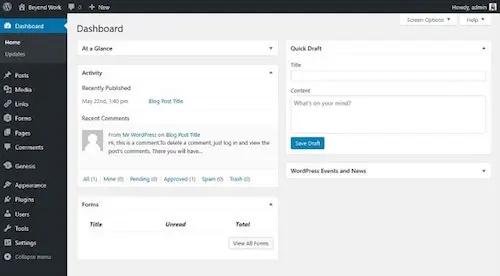
Step 2: Attach the Subdomain in Hosting Settings (For Redirects)
GoDaddy lets you “attach” subdomains—they redirect to primary.
Steps:
- In control panel > Settings tab.
- Domains section > Attach Domain or Add.
- Select New additional domain > Choose subdomain (or enter external).
- Save—subdomain forwards to main site.
Note: No separate content; ideal for aliases.
Step 3: Create the Subdomain via DNS Records (Essential for Pointing)
Subdomains need an A record pointing to your hosting IP.
Steps:
- From My Products > Domains > Click your primary domain > DNS tab.
- Records section > Add New Record.
- Type: A.
- Host/Name: Subdomain prefix (e.g., blog for blog.yoursite.com).
- Value/Points To: Your Managed WP site’s IP (find in hosting dashboard > Settings > Production Site > IP Address).
- TTL: Default (1 hour).
- Save—propagates in 5-60 mins (up to 48 hours).
Now subdomain resolves to your server.
Step 4: Handle Redirects or Separate Content
Attached subdomains redirect automatically.
For separate pages: Use page rules or plugins (e.g., Redirection) to route paths.
For full separate site: Managed plans limit this—consider upgrading to cPanel hosting for addon domains/subfolders.
Step 5: Install SSL for the Subdomain
GoDaddy provides free SSL for primary; additional domains need manual.
Steps:
- In hosting panel > Settings > SSL.
- Request certificate if available (limited on Managed).
Or use Cloudflare for free wildcard SSL.
Step 6: Test & Troubleshoot Propagation
Verify setup.
Quick Checks:
- Visit subdomain—should load primary or redirect.
- Use whatsmydns.net for A record propagation.
- Clear browser/cache; flush DNS (ipconfig /flushdns on Windows).
Common issues: Wrong IP, propagation delay.
Step 7: Advanced – Separate Install or Multisite Alternatives
Need independent WP on subdomain?
- Upgrade to GoDaddy cPanel hosting (Deluxe+).
- Or use subfolders (yoursite.com/blog).
- External: Host subdomain elsewhere (CNAME to other provider).
Multisite blocked on Managed—migrate if needed.
Comparison Table: Subdomain Options on GoDaddy Managed WordPress
| Option | Ease | Separate Content? | SSL Included? | Best For |
|---|---|---|---|---|
| Attach in Panel | Easy | No (redirect) | Limited | Aliases/sections |
| DNS A Record Only | Medium | No (points to primary) | Manual | Custom routing |
| Upgrade to cPanel | Advanced | Yes | Yes | Multiple full sites |
| External Hosting | Medium | Yes | Varies | Independent subsites |
Best Practices for Subdomains on GoDaddy Managed WordPress in 2026
- Backup First — Use built-in or UpdraftPlus.
- Monitor Propagation — Tools like DNS Checker.
- SEO Caution — Redirects pass juice; separate sites need individual optimization.
- Mobile Test — Ensure responsive.
- Contact Support — GoDaddy chat for IP/SSL help.
For more, see GoDaddy’s attach domain guide (external DoFollow) or our archive title cleanup (internal link).
~1% density on create and add a subdomain on GoDaddy Managed WordPress hosting—clear and optimized.
Conclusion: Launch Your Subdomain Today
Master how to create and add a subdomain on GoDaddy Managed WordPress hosting with these 7 powerful steps—your site gains flexibility without complexity. Begin with DNS A record for core setup.
Which step powered your subdomain? Comment below—we’re hosting WP wins!
Updated January 12, 2026 | Compatible with GoDaddy Managed WordPress