
It occurs when scripts exceed the server’s allocated RAM. While the error mentions memory, large file uploads can trigger it by consuming extra resources during processing — that’s why increasing maximum upload size often helps alongside memory fixes.
Latest Posts
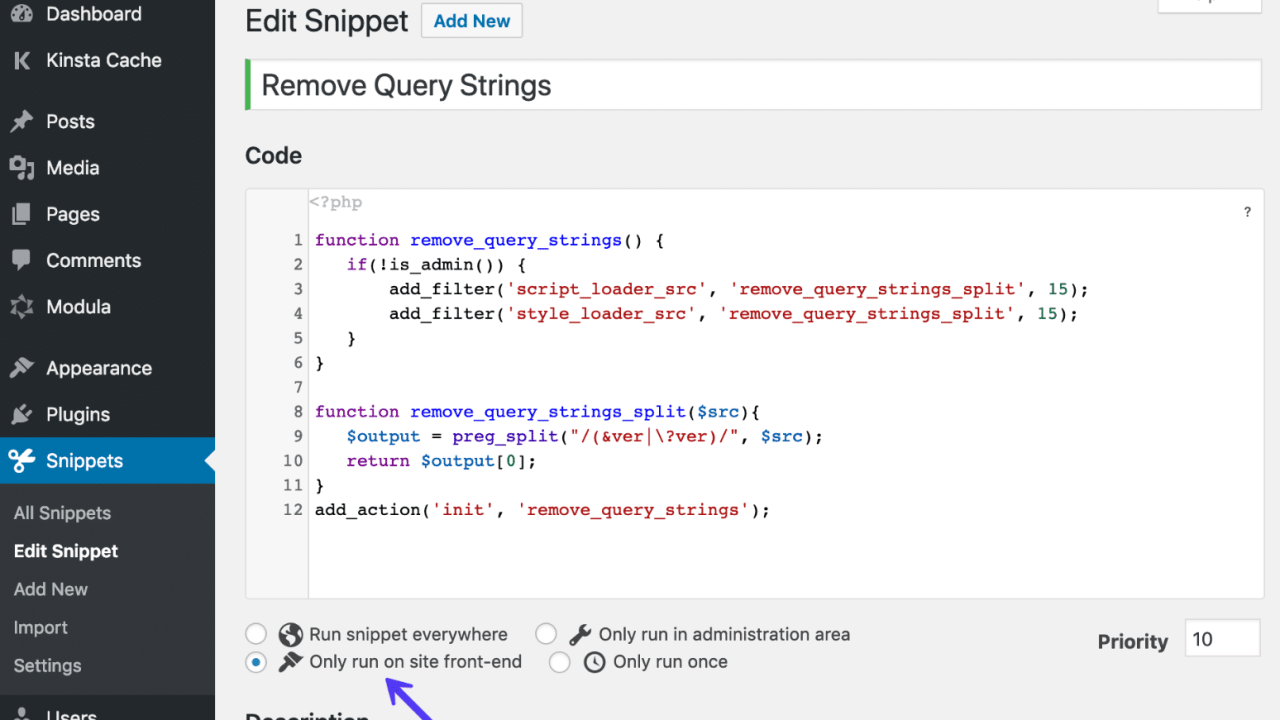
Proven Ways to Remove Query Strings from Static Resources in WordPress (2026 Guide)
Learn how to remove query strings from static resources in WordPress to boost site speed, improve caching, and fix common PageSpeed warnings. Step-by-step methods with or without plugins – no coding expertise required!
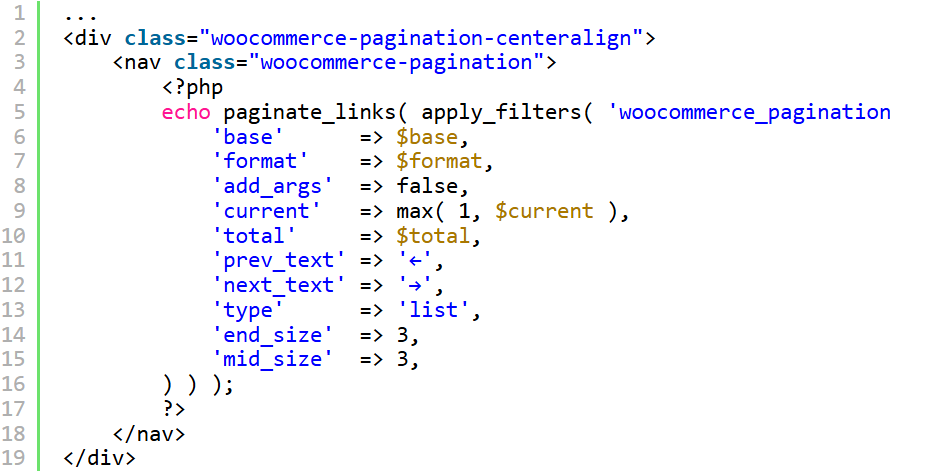
Proven Ways to Center Align WooCommerce Pagination Buttons – Clean & Professional Look in 2026!
Want perfect WooCommerce pagination? Discover 7 proven ways to center align WooCommerce pagination buttons using CSS (no plugin needed) – works on all themes and page builders in WP 6.7+ and WooCommerce 9+!
7 Proven Ways to Open All External Links in a New Tab/Window in WordPress – No Plugin Required
Frustrated by visitors leaving your site on external clicks? Forcing how to open all external links in new window or new tab without a WordPress plugin keeps users engaged longer, boosts dwell time, and improves UX—without bloat from plugins.